This guide provides a practical B2B decision framework. Final specifications, market obligations, testing scope, labels, packaging and shipment requirements must be confirmed for the exact finished SKU and destination.
LCD Writing Tablets for School Procurement: A Buyer Checklist for Districts and Learning Programs
Direct answer: A good school purchase is not simply the lowest-priced LCD board. Districts and learning programs should first define the learning activity and pupil age range, then specify usable screen size, erase and lock behaviour, stylus retention, power design, safety and market-access evidence, packaging, inspection rules, and a replacement process. Pilot the exact production-intent sample in real lessons before scaling. The resulting LCD writing tablet for school should be easy for a child to use, straightforward for staff to distribute and collect, and supportable long after delivery.
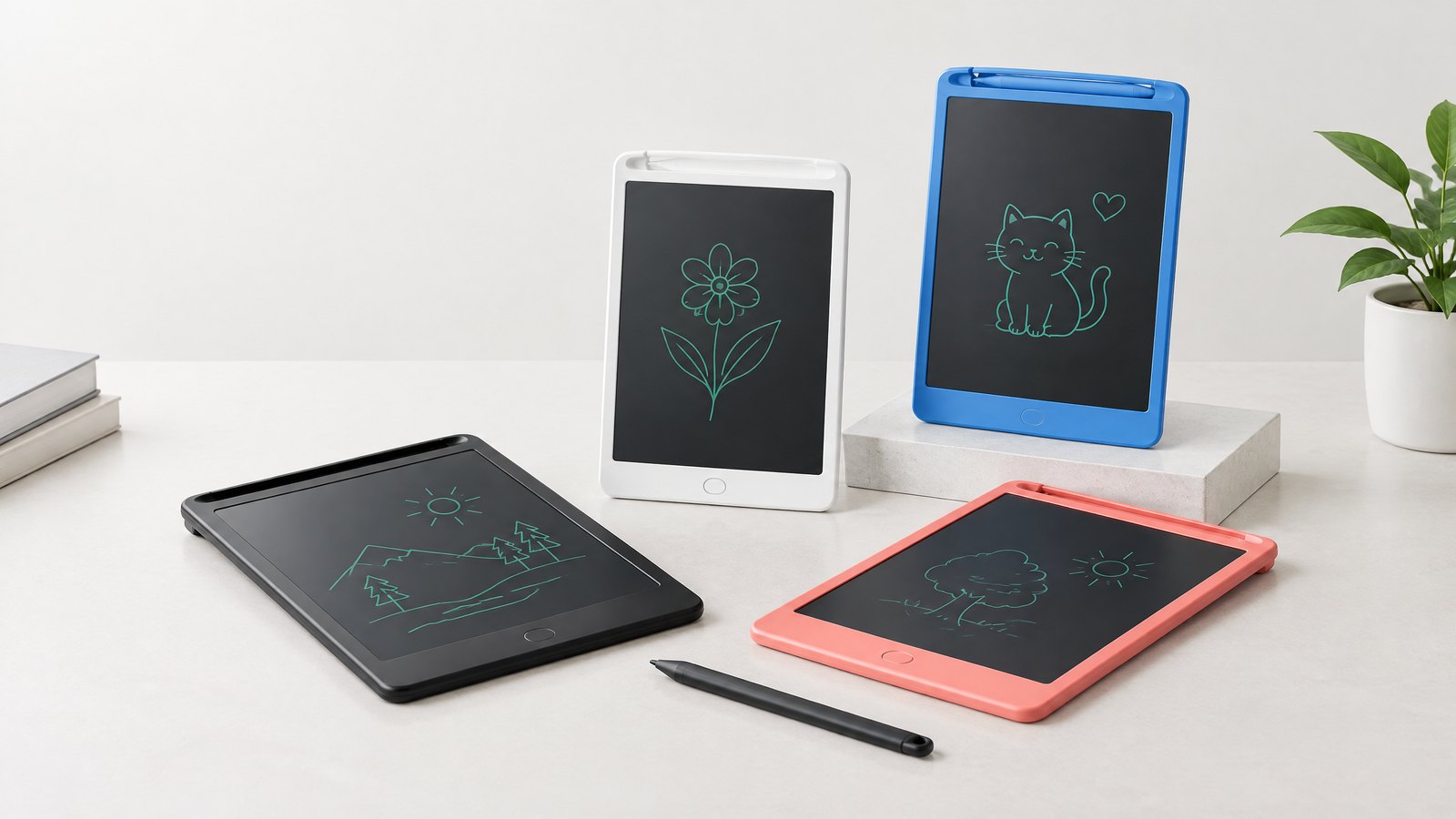
An LCD writing tablet is a lightweight, reusable writing surface: a child writes with a stylus, sees a mark on a pressure-sensitive display, and clears it with a control. It is not a conventional computing tablet. Most models do not run apps, connect to a network, save a pupil profile, or replace an accessible curriculum device. It can support repeatable handwriting, numeracy, drawing, response, and travel activities, but it also has limits on what it can evidence or store.
For buyers in the United States, United Kingdom, Germany, and France, specification-and-evidence discipline matters more than broad listing claims. Legal obligations depend on the final product, age grade, market, and economic operator. Use this as a procurement framework, not legal advice; confirm requirements with compliance teams and qualified advisers.
Start with the educational job, not the catalogue
The fastest way to buy the wrong product is to ask for “a tablet for every child” before deciding what children will do with it. Start an internal brief that answers four questions.
- What is the learning routine? Examples include a morning name-writing warm-up, showing a teacher a mental-math answer, tracing a letter formation card, drawing a science observation, or quietly occupying a child during travel between sites. Each requires a different balance of screen area, contrast, durability, and accessories.
- Who will use it? State the age range, supervision level, left- and right-handed use, and any motor, visual, or communication needs that affect the choice. Do not assume a generic children’s product suits every learner.
- Where will it live? A classroom caddy, a library checkout kit, a home-learning pack, an after-school program, or a mobile outreach bag all create different loss, cleaning, and inventory risks.
- What happens after the writing activity? Decide whether a teacher checks the work live, a pupil copies a result into an exercise book, or the board is simply reset. A basic LCD board generally does not preserve a record once cleared, so it is not the right sole tool where assessment evidence must be retained.
This distinguishes a useful reusable surface from an unsuitable substitute for paper, a whiteboard, or a connected device. It also prevents over-specification: a two-minute response routine may value reliable erase and stylus storage above decorative packaging.
Build a one-page use-case matrix
A practical matrix links activities to observable product requirements.
| Learning or program use | What success looks like | Product requirement to test | Operational note |
|---|---|---|---|
| Letter and number practice | Child can form marks comfortably and teacher can see a response | Appropriate usable writing area, visible line quality, comfortable stylus | Provide teacher-created prompt cards separately if needed |
| Whole-class quick responses | Boards are raised, read, cleared, and reused without disrupting the lesson | Consistent screen contrast, obvious clear control, screen lock where relevant | Establish a “do not clear yet” routine before answers are shown |
| Small-group intervention | Learners take turns with a low-distraction tool | Easy hand-off, stylus retention, wipeable outer housing | Allocate a named caddy or group kit |
| Fieldwork, museum visit, or bus travel | Pupils can sketch or jot prompts without loose paper | Protective packaging, compact form factor, retained stylus | Check local trip risk procedures; use it under staff supervision |
| Take-home or lending program | Families can understand basic use and return the item | Plain-language instruction, product and batch identification, replacement path | Use a checkout record and a return inspection step |
A LCD tablet for handwriting practice may work well when feedback happens while the child writes: a teacher models a stroke, the learner repeats it, and both compare the result. It is less suitable when the goal is to archive progression, share work remotely, or provide sophisticated assistive features. State those limits plainly in the business case.
Write a specification that teachers, buyers, and factories can all test
Avoid a request for quotation built from marketing adjectives such as “premium,” “high quality,” or “best for education.” They leave too much open to interpretation. A usable request should turn each need into a requirement, a sample check, or an acceptance rule.
Core hardware and classroom usability
Specify the following, but ask suppliers to confirm what is standard and what changes would require engineering review.
- Display and writing area: Define the usable area needed for the age group and activity rather than relying only on an exterior diagonal measurement. Ask to see it in a child’s hand, on a desk, and in a classroom caddy.
- Line visibility: Test the screen under the lighting where it will be used, including daylight near windows and typical classroom lights. Colour, line brightness, and viewing angle vary by design. Obtain a physical sample rather than judging from edited product photos.
- Erase and lock function: A clear action should be understandable, repeatable, and difficult to trigger accidentally during a task. If the model has a screen lock, verify both the child experience and the teacher’s routine for unlocking it.
- Stylus design and storage: Check comfort, grip, tether or slot design, and whether the stylus is easy to misplace. Do not add a cord, magnet, or accessory late in development without evaluating age suitability and safety implications.
- Housing and edges: Inspect joins, corners, battery access, buttons, and resistance to ordinary classroom handling. Describe the intended use honestly; “rugged” should only appear in procurement documents when the requirement and evidence support it.
- Power system: Establish the battery type, expected user-replaceable or non-user-replaceable arrangement, battery compartment retention, low-power behaviour, and disposal route. Obtain written instructions that match the final product and market.
- Cleaning compatibility: Ask for a recommended method, then verify it against school cleaning policy; do not promise cleaner resistance without validation.
Make requirements testable. For example: “The stylus remains available when the board is moved to its caddy during the pilot” and “Teachers can operate clear and lock after reading the instruction.” These are procurement observations, not laboratory claims.
Decide whether you need a classroom set or individual units
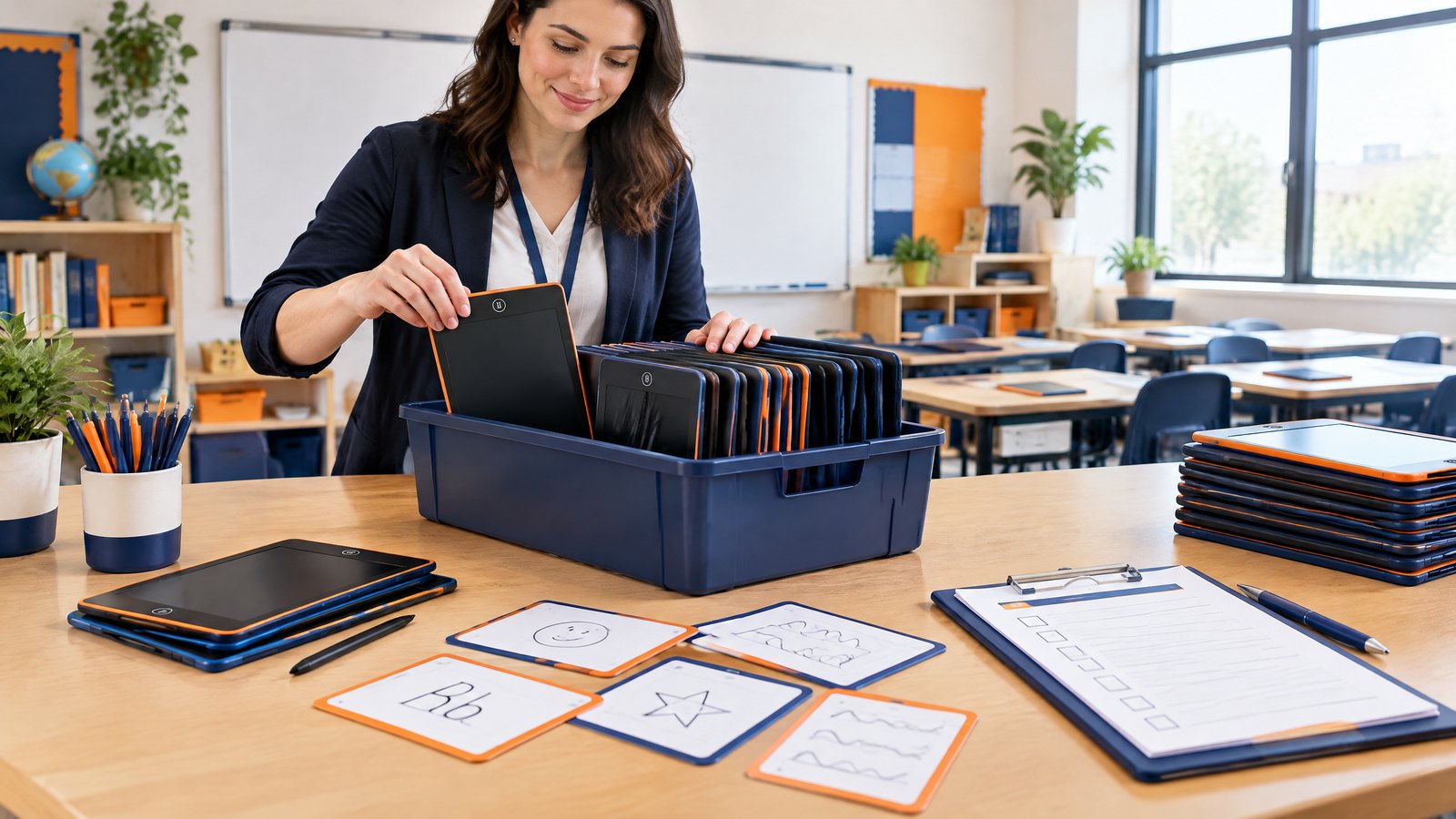
An LCD writing tablet classroom set is a system, not simply a carton. Plan allocation, return, inspection, matching boards, a labelled caddy, a spare-stylus policy, and concise teacher instructions. Take-home units also need family directions, non-personal unit identification, and returns. For larger orders, put model, batch, carton, and purchase-order identifiers on appropriate packaging or documentation.
Use a procurement checklist before issuing an RFQ
The following checklist gives districts and program managers a structure for comparing bids on an equal basis. Put the completed checklist into the procurement file; it becomes the baseline for samples, purchase orders, receiving, and supplier discussions.
Educational fit and accessibility
- Define each planned activity and who checks the work.
- Identify where a non-connected LCD surface is beneficial and where a saved or accessible digital record is required instead.
- Test the sample with learners representative of the intended age range and relevant needs.
- Check whether contrast, writing pressure, grip, or controls create barriers; plan an alternative activity where needed.
- Confirm destination-language needs for instructions, warnings, packaging, and teacher materials.
The phrase educational LCD writing tablet describes an intended use, not a quality certification. The lesson design, instructions, product configuration, and support process determine whether a board is actually workable in education.
Supplier capability and product definition
- Request the legal manufacturer, factory location, primary contact, and escalation route.
- Establish whether the quote is an existing model, configuration change, or new OEM/ODM development.
- Freeze a product specification with photos or drawings that identify screen type, housing colour, stylus, lock/erase arrangement, battery design, logo location, packaging, inserts, and accessories.
- Ask for a sample that represents the proposed production configuration. A retail sample in one configuration does not automatically validate a customized order.
- Record approved changes in writing; battery, accessory, material, packaging, or age-grade changes can require review.
- Assign artwork approval, version control, translation review, and final print-proof ownership.
For OEM or ODM work, require stated assumptions. Private-label packaging, a changed screen, or an accessory may affect documentation, tests, tooling, or lead time; distinguish feasible customization from new engineering.
Safety, compliance, and market-access evidence
Do not treat a logo, test-report cover, or marketplace listing as proof for every destination. Ask for documentation tied to the exact model, configuration, age, and market, then have the responsible party assess it.
For U.S. children’s products, the Consumer Product Safety Commission explains that products intended for children under three that present a small-parts choking, aspiration, or ingestion hazard are banned, and it describes certification obligations for children’s products subject to CPSC rules.1 The appropriate requirements depend on how the final product is classified and marketed. Do not relabel a product for a younger age group without a proper review.
For Germany and France, electrical and electronic equipment may fall within EU frameworks such as RoHS, which restricts certain hazardous substances, and WEEE requirements.2 CE marking is not a generic quality badge. Great Britain may require conformity marking under applicable product rules, with responsibilities for manufacturers, importers, and distributors.3 Confirm current destination requirements, including documentation, labelling, producer responsibility, language, and battery obligations.
Your evidence request should include, where applicable:
- the exact model and configuration covered by reports or declarations;
- age grading and warnings proposed for the destination;
- applicable product-rule analysis and declarations of conformity from the responsible economic operator;
- test evidence with laboratory, report-date, and sample details;
- traceability, battery, instruction, disposal, and destination-language artwork information; and
- complaint, corrective-action, and retrieval procedures.
This is a due-diligence checklist, not a statement that any particular LcdWritingTablet model is certified or compliant. A buyer should retain the final evidence set that corresponds to the delivered goods.
Privacy and data minimization
A basic non-connected board may avoid collecting student account data, but procurement teams should still verify the actual configuration. Does it contain connectivity, a companion app, a camera, a microphone, memory, a QR code leading to a service, or an online registration flow? If the answer is yes, use the district’s technology and privacy review rather than assuming it is outside the process.
In the United States, the Department of Education’s Student Privacy Policy Office administers and enforces laws including FERPA and PPRA and provides assistance to schools on safeguarding student information.4 A sensible default for a simple writing board is data minimization: do not put pupil names, photos, or individual account details into product artwork, checkout labels, or supplier-facing files unless there is a clear need and the district’s policy permits it.
Commercial, quality, and support terms
- Ask for itemized pricing that separates product, customization, packaging, samples, freight assumptions, and any tooling where relevant.
- Define the trade terms, destination, customs responsibilities, currency, payment milestones, and who acts as importer of record. Obtain specialist advice where required.
- State the approved sample, inspection level or method, defect definitions, and how an acceptance decision will be made before mass production begins.
- Agree the process for shortages, transit damage, functional defects, missing styluses, wrong artwork, and mixed models.
- Ask for warranty terms in writing: coverage, exclusions, claim evidence, response path, replacement method, and duration. Do not assume a supplier’s retail policy applies to institutional orders.
- Keep an agreed spare-unit or replacement approach. A system that cannot replace a lost stylus can become unusable more quickly than a board with a planned recovery route.
Run a pilot that resembles the real rollout
A product sample passed around a meeting room is not a classroom pilot. A useful pilot uses the intended board, packaging, instructions, and, if possible, the same storage approach that the full deployment will use. Teachers should trial activities at normal pace: hand out boards, model an instruction, let pupils write, collect responses, clear boards, and return them to storage.
Capture decision-relevant observations: Did children know which side to use, keep the stylus, avoid accidental clearing, and produce answers a teacher could see? What became dirty, delayed, or confusing in transition?
Test travel separately. On a coach, in a waiting area, or between partner sites, pupils need a quiet tool that can be carried, supervised, collected, and checked without scattered parts. Use a labelled program pouch or compartmented case. Afterward, count boards and styluses, inspect screens and battery covers, clean as approved, and quarantine damaged units.
A pilot also tests the instruction. One small card can explain writing, lock if fitted, clear, storage, and what to do if a stylus is missing. Ask the supplier whether instruction wording and graphics can be adapted for English, French, or German as required. The buyer remains responsible for ensuring the finished language and labelling meet the applicable market and program needs.
Planning a district or program rollout? For a product specification discussion, production-intent sample request, or packaging review, email info@lcdwritingtablet.com with your destination market, user age range, intended activities, and required quantity. Please use email only so the request can be documented against the proposed configuration.
Make the rollout operationally boring—in a good way
The best implementation is predictable. It should not depend on a single enthusiastic teacher or on every staff member remembering an unwritten routine.
Prepare the site before cartons arrive
Assign a receiving owner, school contact, storage area, and escalation contact. Share a rollout note explaining purpose, issue/return, lock, cleaning, and issue logging; include an approved-model photo. Keep a proportionate asset record: a caddy label and count may suffice for class use, while loans need a unit identifier and return status. Avoid personal data when a program identifier works.
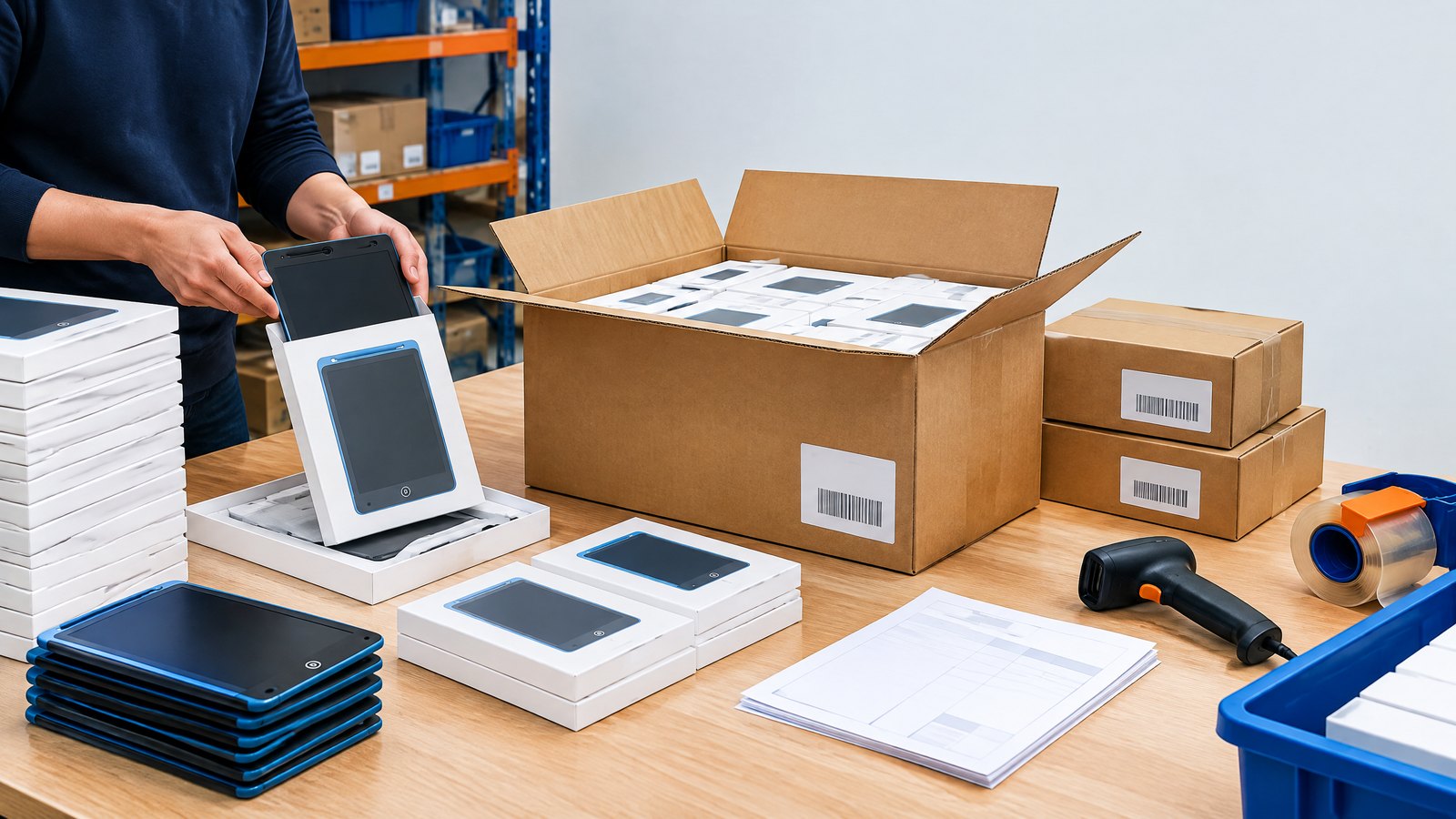
Receive goods with an FBA-style discipline, even when the destination is a school
Some purchases route through a fulfilment partner, reseller, or marketplace program; district warehouses benefit from the same discipline. Before dispatch, agree the purchase order, carton marks, pack count, any required unit labels, destination labels, and appointment/carrier requirements. A fulfilment centre can reject, delay, relabel, or charge for mismatched inbound stock, so confirm its current receiving guide directly.
At receipt, compare goods with the packing list and approved sample. Photograph damaged cartons before opening. Check a sensible spread for model, quantity, artwork, inserts, stylus, visible damage, clear/lock behaviour, and identifiers. Record who checked what and when. Separate discrepant stock and notify the supplier with the order, photos, labels, and description.
Stage cartons in a clean, dry, access-controlled location. Allocate multi-site kits only after inbound checks; a distribution list prevents one site receiving a surplus while another waits.
Train for routines, not for features
A brief staff demonstration can focus on the actual lesson routine: distribute, write, hold, show, check, clear, return. Explain the lock behaviour only if it is fitted and useful. Teachers do not need a sales presentation; they need to know what happens when a screen does not clear, a stylus goes missing, or a child cannot see the line well enough.
For pupils, model respectful use rather than assuming the device is self-explanatory. Establish whether boards remain at desks, sit flat during writing, travel in a pouch, and return stylus-first to the caddy. A consistent routine reduces loss and helps assistants, substitute teachers, and partner-program staff support the same activity.
Monitor the product after launch and learn from the first term
Procurement does not stop at sign-off. Track meaningful patterns: missing styluses, screen visibility complaints, unexpected clearing, damaged battery covers, confusing instructions, packaging waste, and activity types that teachers repeat voluntarily. Separate individual accidental damage from a repeated failure mode.
If an issue emerges, preserve the affected unit, its packaging where possible, and the batch or model identification. Record the date received, school or program location, use context, description, photos, and any immediate action taken. This makes a supplier conversation more productive and supports the buyer’s own safety and quality processes.
Schedule a review with educators, operations staff, and the supplier contact. Decide whether the response is a revised routine, a replacement part, a packaging change, a different product configuration, a corrective action request, or a decision not to reorder. Do not quietly substitute parts or alter age grading in the field; those changes can undermine the documented specification and safety review.
Questions to ask an LCD writing tablet school supplier
The right LCD writing tablet school supplier should be willing to answer precise questions about the model, documentation, quality process, and communication path. Use this short question list during supplier evaluation.
- Which factory and legal entity make the model, and who owns final documentation?
- Is it an existing design or OEM/ODM configuration, and which changes have technical review?
- Can you supply a production-intent sample with our housing, stylus, packaging, instructions, and destination-language artwork?
- What is the written approval process for artwork, samples, bill-of-materials changes, and final inspection?
- Which declarations, reports, warnings, and traceability details apply to this model and market?
- How will you handle shortages, missing styluses, functional failures, warranty claims, and replacements?
FAQ: LCD writing tablets for schools
Are LCD writing tablets for schools a replacement for student computers?
Usually no. LCD boards are best understood as reusable, non-connected writing surfaces for immediate practice, sketching, and visible responses. They generally do not provide applications, individual accounts, content creation files, accessibility tools found on computing devices, or a stored record after clearing. Map the tool to the activity rather than treating it as a lower-cost computer substitute.
How should a district buy school writing tablets bulk?
Begin with a written use-case and product specification, request production-intent samples, conduct a classroom pilot, obtain evidence appropriate to the exact model and destination, and write acceptance and replacement terms into the order. For school writing tablets bulk orders, plan carton labelling, storage, site allocation, spare styluses or units, inbound inspection, and a route for defect claims before goods leave the factory.
What should we test in an LCD writing tablet classroom set?
Test the full routine: a teacher distributes the boards, pupils write, the class displays responses, staff clear or lock screens if relevant, boards return to storage, and a staff member accounts for styluses. Also check line visibility in the actual room, housing condition after ordinary use, instruction clarity, cleaning compatibility, and whether the storage system prevents loss. Test the delivered configuration, not an unrelated sample photo.
Are these boards suitable for handwriting practice?
They can support repeated formation, copying, and teacher observation in the moment. An LCD tablet for handwriting practice does not normally retain work after clearing, so pair it with paper, teacher observation, or another approved method when permanent evidence of learning is needed. Consider individual accessibility needs before assigning the tool to every learner.
What documentation should a buyer request from a supplier?
Request documentation tied to the exact model, configuration, intended age grade, and destination: product identity, proposed warnings and instructions, applicable declarations and test evidence, traceability details, battery information, packaging artwork, and complaint/corrective-action procedures. The buyer, importer, and legal manufacturer should determine what is applicable; do not rely on generic certificates or marketing claims.
Can boards be used on school trips and in mobile programs?
Yes, where staff determine that the activity and supervision are appropriate. Use a defined issue-and-return routine, protective storage, a count of boards and styluses, approved cleaning, and a way to isolate damaged units. For travel, the operational advantage is quiet, reusable activity; the operational risk is losing small accessories or returning damaged units to circulation without a check.
Do non-connected writing tablets remove all privacy review needs?
Not automatically. A basic board may have no account or network feature, but the procurement team should verify the model and all accompanying services. If an app, registration process, camera, microphone, connectivity, or personal-data collection is involved, apply the district’s technology and privacy review. Even without connectivity, minimize personal information on labels and checkout materials.
Conclusion: buy the learning routine and the support plan
A successful purchase is built around a lesson and a lifecycle. Specify the educational job, test a representative sample in a normal classroom, verify product and market evidence for the delivered configuration, plan receiving and distribution, and maintain a simple issue-and-replacement process. That approach lets districts and learning programs use LCD boards where they are strongest: repeatable, low-distraction, reusable writing and response activities that do not require a connected device.
For US, UK, German, and French buyers considering OEM/ODM options, the most useful supplier conversation begins with the use case, age range, destination, packaging, and desired rollout—not a vague request for the cheapest unit. To request a written discussion of your school specification, production sample, or bulk packaging plan, email info@lcdwritingtablet.com.
Image Plan
| Image | Purpose and placement | English caption | ALT text | English AI image prompt |
|---|---|---|---|---|
| 1. Teacher response routine | Place after the direct-answer opening to show the core classroom use case without implying connectivity. | A teacher checks quick written responses on reusable LCD writing tablets. | Teacher viewing pupils holding reusable LCD writing tablets during a classroom response activity. | Documentary-style wide photograph of a diverse primary classroom, teacher calmly observing pupils seated at desks holding simple black-framed LCD writing tablets with handwritten math answers, no visible logos, no readable personal data, natural classroom daylight, realistic educational setting, landscape. |
| 2. Procurement sample inspection | Place in “Write a specification” to make the sample-review process concrete. | Procurement teams should inspect the exact proposed configuration, not only a catalogue image. | School procurement staff comparing LCD writing tablet samples, styluses, packaging proof, and a written checklist. | Realistic editorial photograph of two school procurement professionals at a meeting table inspecting unbranded LCD writing tablet samples, styluses, packaging mock-up, and printed checklist, clean office light, no legible sensitive text, no logos, landscape. |
| 3. Classroom caddy and return routine | Place in “Run a pilot” or “Make the rollout operationally boring.” | A labelled caddy supports consistent issue-and-return routines. | Reusable writing tablets and styluses organized in a labelled classroom storage caddy. | High-resolution realistic product-use photograph of an open neutral classroom caddy with several unbranded LCD writing tablets arranged vertically and matching styluses in dedicated slots, a teacher hand returning one board, no student names or logos, bright school storage area, landscape. |
| 4. Receiving inspection | Place in the FBA-style receiving section to illustrate condition and label checks. | Receiving checks help identify the correct model, quantity, and carton condition before distribution. | Warehouse staff inspecting cartons of LCD writing tablets against a packing list before school distribution. | Realistic warehouse receiving photograph, staff member in ordinary workwear checking unopened plain cartons and one open carton of unbranded LCD writing tablets against a clipboard, no recognizable company labels, no barcode close-ups, clean staging area, landscape. |
References
Continue with the next sourcing decision.
Use these internal links to compare products, check common buyer questions, review compliance preparation, or send your requirements to the factory.
Turn this sourcing plan into a product brief.
Share your target market, product requirements, packaging preference and estimated volume for a practical OEM / ODM discussion.